
CAPABILITIES
The building blocks for your business applications
Combine the capabilities your process needs, from the first form submission to the report your team reviews.
CAPABILITY 01
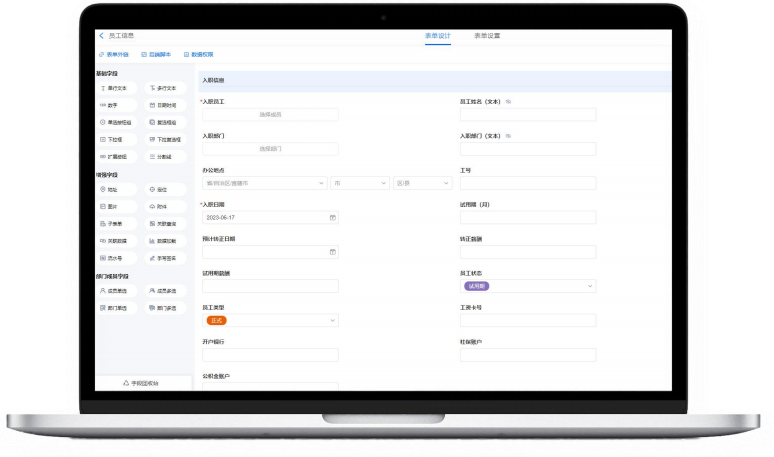
Forms and business data
Build forms around the information your team needs, then keep related records connected.
- Arrange input fields and layouts visually.
- Use conditional visibility and calculated values.
- Link related forms and records.
- Import and export spreadsheet data.
IN EVERYDAY WORK
Capture an expense request with the employee, category, amount and supporting details in one record.
CAPABILITY 02
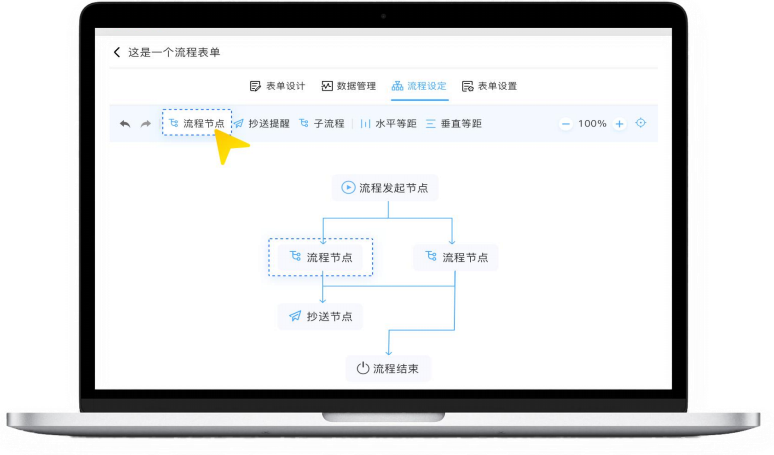
Approval workflows
Route requests to the right people with conditions, approval steps and reminders.
- Define approval steps and responsible people.
- Set routing conditions and validation rules.
- Configure reminders and handling time limits.
- Track the progress of a request.
IN EVERYDAY WORK
Send a purchase request through the relevant approvers and keep its current status visible.
CAPABILITY 03
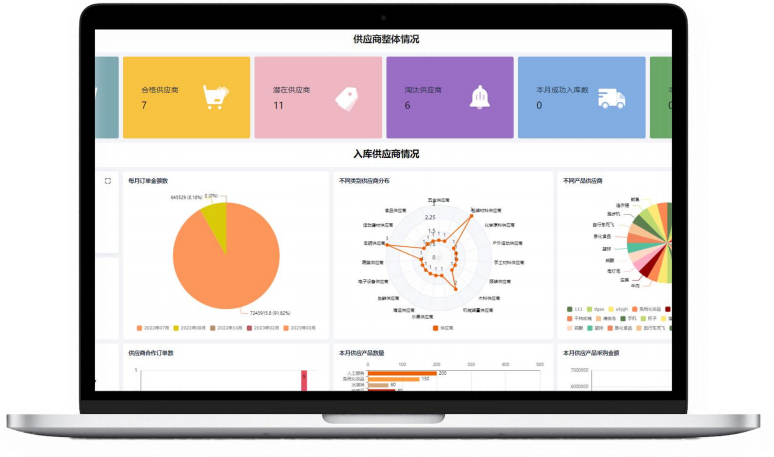
Reports and dashboards
Turn business records into charts and reports that help teams review their work.
- Create configurable charts and report layouts.
- Filter and group records for different views.
- Use calculated fields and aggregate data.
- Review connected data in dashboards.
IN EVERYDAY WORK
Review request volume and status by department, or summarize sales opportunities by stage.
CAPABILITY 04
Business automation
Use conditions and schedules to handle recurring data tasks and follow-up steps.
- Trigger actions when configured conditions match.
- Create, update or remove records through configured rules.
- Run scheduled and recurring tasks.
- Send configured notifications and reminders.
IN EVERYDAY WORK
Schedule recurring equipment checks or prepare periodic summaries from submitted records.
Illustrative process. The agreed configuration defines the actual application.
CAPABILITY 05
Access permissions
Control who can manage applications, submit forms and view specific fields.
- Assign application management permissions.
- Set form submission and viewing access.
- Control viewing and editing of individual fields.
IN EVERYDAY WORK
Let staff submit requests while giving designated approvers access to review fields.
Illustrative process. The agreed configuration defines the actual application.
CAPABILITY 06
APIs and extensions
Connect supported data operations to existing systems and extend selected workflows.
- Use available APIs for supported data operations.
- Connect form events to configured interface calls.
- Add extensions where the workflow needs more logic.
IN EVERYDAY WORK
Discuss a connection that queries records or passes submitted form data to an existing business system.
Illustrative process. The agreed configuration defines the actual application.
See how the features fit your process
Share an example workflow with our team. We can discuss the forms, approval steps and connected systems it would need.